Steps to Certify School Facilities in UDISE+ 2025‑26
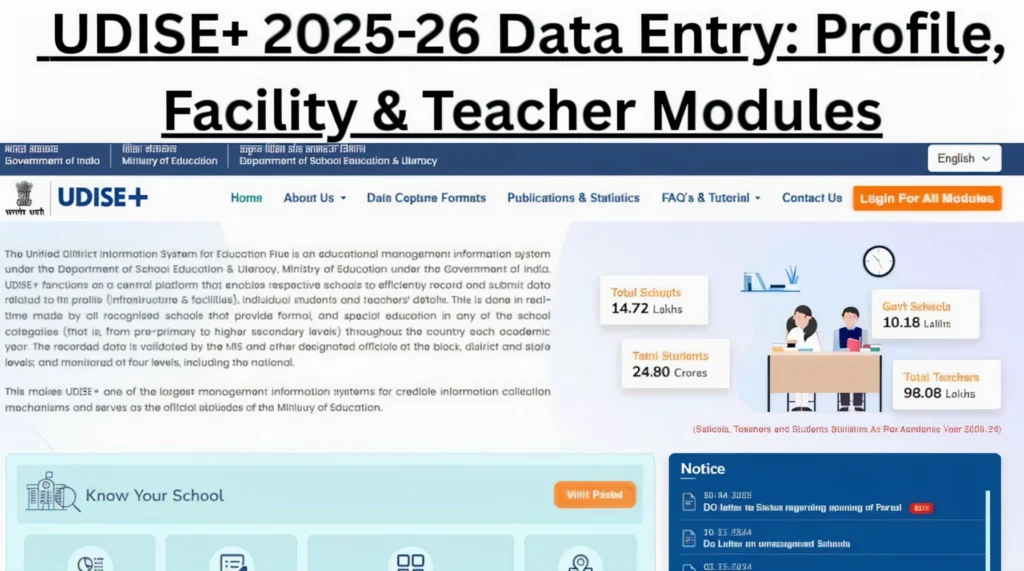
Before you dive in, take a moment to understand what the tool is. UDISE+ is a national portal by the Ministry of Education, Government of India for collecting detailed data about schools: infrastructure, teachers, students, and facilities. You can also read: How to Fix a Missing PEN in UDISE+ Enrollment

1. Understand What UDISE+ Wants
The data includes school profile, safety indicators, receipts & expenditure, vocational education, and detailed school facility information.
2. Get the Basics Ready
What you should have in place:
3. Log In and Navigate to the Right Module
Here’s how you do it, step by step:
Go to the UDISE+ portal.
Log‑in using your school’s code and password.
On the dashboard, look for “School Profile & Facilities” (or similarly titled) module.
Open the module and check the sections:
School Profile details – location, management, class levels.
Safety & Other Indicators – e.g., ramp for differently abled, fire measures.
School Facility – infrastructure: toilets, drinking water, labs, library, etc.
4. Enter Accurate Facility Data
Don’t rush this part. Accurate data means better resource allocation and avoids future corrections. Here are some tips:
5. Review & Certification
Once you’ve entered all data:
Review all sections and make sure they show “Completed” or “100%”. The portal often gives status.
Fix any errors flagged by the portal (if fields are missing, or validation fails).
Password: Enter the password provided by your Block or District MIS coordinator.
Captcha: Type the captcha code shown on the screen.
When you’re confident everything is correct: click on “Certify” or “Submit for Certification” (name may vary) to lock the data.
After certification, you may be allowed to download a certificate/report for your school that shows data has been certified.
Keep a copy (PDF or printed) for your records. This helps in audits or when the district/state asks for proof.
6. After Certification: What to Do Next
Certification isn’t the end — keep these in mind:
If during the year any major change happens (building, facility upgrade, new lab, or damage) update the data in next cycle.
Maintain documentation/backups: invoices for new infrastructure, photographs, handover notes. Useful if the state/district audits.
Periodically check if your data remains consistent: sometimes district/state MIS office may update things or ask for clarifications.
If you found errors after certifying, contact your Block/District MIS coordinator quickly to correct. Delays may mean rejection or penalties.
Use your certified data to support needs: e.g., you can show the facility gaps to request additional funds, equipment or renovation.
7. Quick Checklist for Facility Certification
Here’s a handy checklist to tick off:
8. Why This Matters (and Won’t Be Ignored)
The UDISE+ data helps the government plan funding, monitor school quality, and track infrastructure gaps. If your facility data is incorrect or missing, you may not get required resources. Schools that delay or submit wrong data may face “incomplete” status, which can impact recognition, funds, or grants. From an “AEO” point of view (i.e., aligning to how people search) many school heads search things like “how to certify UDISE+ school profile 2025‑26”, “UDISE+ facilities module 2025‑26”. So by writing clear, helpful articles like this, your school (or if you manage many schools) can stay ahead. Also from an “EEAT” lens (Expertise, Experience, Authoritativeness, Trustworthiness), you being transparent with your process, taking backups, and showing you follow the official steps builds trust with your district and state education bodies.
FAQ’s
Final Words
Certifying your school facilities in UDISE+ is more than just filling out a form; it’s about making sure your school gets the resources it needs for growth and development. With this certification, you not only align with government requirements but also ensure that your school’s facilities are recognized and maintained at the standard they deserve. It’s an investment in your school’s future, and the process, while detailed, is well worth it in the long run.
By completing this certification on time and with accurate information, you’re ensuring that your school stays on track for support, funding, and any future audits or inspections. Always double-check your data, keep it updated, and make sure you have backups in place to avoid any hassle later. Take a few days to get everything sorted, and your school will be set for the year ahead, ready to thrive in the system.


