How to Change Your Mobile Number in UDISE+ 2026
Every school using UDISE+ needs a correct mobile number for login, password resets, and notifications. If your mobile number changes, it’s important to update it in UDISE+ so you can continue to access the system and manage school data smoothly. This guide explains how to fix the issue when your mobile number is outdated.
Why is Updating Your Mobile Number Important in UDISE+?
Your registered mobile number in UDISE+ plays a key role in several important functions, including:
If the number in the system is old or incorrect, you might miss important messages, making it difficult to perform essential tasks. That’s why it’s crucial to keep your contact information updated.
What Happens When Your Mobile Number is Not Updated?
If you try to use “Forgot Password” and don’t receive the OTP, it’s likely because the mobile number on file is outdated. Without the correct number, you won’t be able to reset your password or complete other tasks that require mobile verification. Additionally, notifications about important system updates or deadlines might not reach you.
How to Update Your Mobile Number in UDISE+?
The process for updating your mobile number depends on your role and the system setup.
School-Level Update:
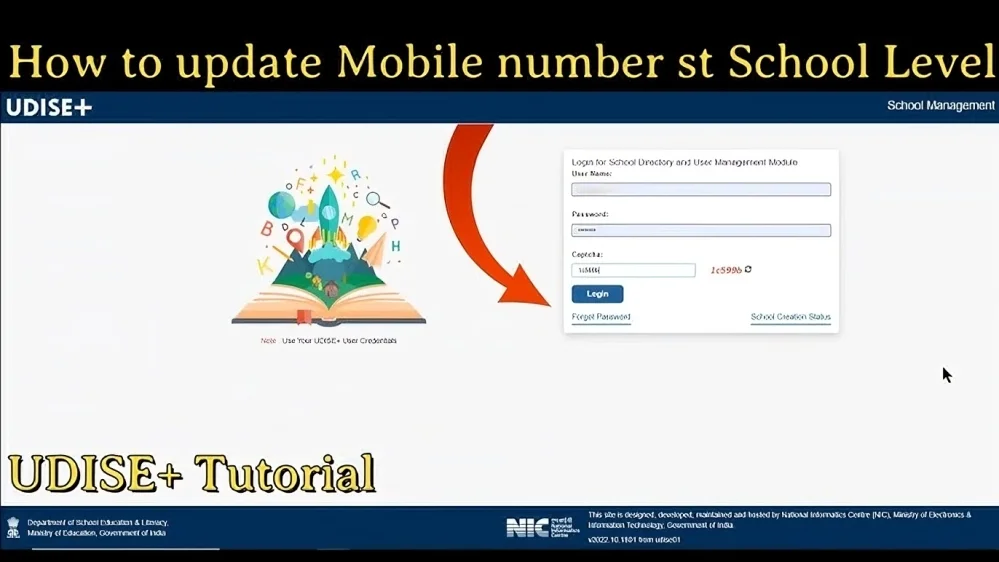
If you are a school user (such as a headmaster or administrator), you may be able to update your mobile number directly in your profile settings within UDISE+. You can do this by logging in to your account and navigating to the User Profile or Contact Information section.
Block or District-Level Update:
In some cases, only the Block or District MIS Coordinator has the authority to update your mobile number. If you cannot update the number yourself, you will need to contact your MIS team to make the change for you.
Steps to Take Before Updating Your Mobile Number
Before requesting the change, make sure you have the following ready:
Once your mobile number is updated, the system may send an OTP or a confirmation message to verify that the new contact information is correct.
You Can Also Read About: Understanding UDISE+ Teacher & Student Module Updates
Common Problems When Updating Your Mobile Number
If you can’t access your account because you no longer have access to the registered mobile number, you won’t be able to receive the verification code to reset your password. In this case, you’ll need to reach out to the MIS Coordinator to update the number.
Even small errors when entering your number can cause delays. Double-check that the number is entered correctly to avoid mistakes.
In some cases, it may take time for the MIS team to process your request and update your mobile number. Be patient and follow up if needed.
Tips to Avoid Issues with Mobile Number Updates
Update Quickly After a Change: Whenever you change your mobile number, inform your MIS team immediately to avoid losing access to important notifications and system messages.
Check Your Profile Regularly: If you have access to update your details, check your profile settings periodically to ensure that your contact information is up to date.
Use an Accessible Mobile Number: It’s best to use a mobile number that is easily accessible and can receive OTPs quickly. Avoid using someone else’s number, as it might create confusion later.
Verify the Update: After the mobile number is updated, try logging out of your account and using the “Forgot Password” option to ensure the OTP is sent to your new mobile number.
FAQ’s
Final Words
Updating your mobile number in UDISE+ is essential to ensure that you receive important notifications, can reset your password when needed, and maintain smooth access to the system. If your number changes, act quickly to update it in the system. Whether you can do it yourself or need help from your MIS Coordinator, making sure your contact information is correct will prevent unnecessary login issues and keep your data flow uninterrupted.
If you run into any problems or delays, don’t hesitate to reach out to the appropriate authorities to ensure everything is up to date and working smoothly.