Managing UDISE+ Errors in Dual‑Board Schools
If your school operates under two boards (for example a state board for one stream and a central or international board for another), you may face extra complexity when filling UDISE+ data:
Two sets of curriculum/streams → you might have to choose which board data applies in certain fields. Students and staff may fall under different board categories → confusion in modules like “School Management”, “Board Affiliation”, or “School Type”. Infrastructure or section data may differ for each board stream → creating inconsistency in what you report.
Because UDISE+ expects each school to give consistent data under one UDISE code, dual‑board setups can lead to validation errors, mismatches and correction requests.
The UDISE+ portal includes various modules and validations to check school profile, teacher data, infrastructure etc.

Common Errors Dual‑Board Schools Encounter
Here are the types of errors you’ll want to watch for:
For updating school infrastructure, enrollment, and facilities.
For updating teacher personal and service records.
For managing student data.
To generate and view educational reports.
For managing school details and user accounts.
For updating school infrastructure, enrollment, and facilities.
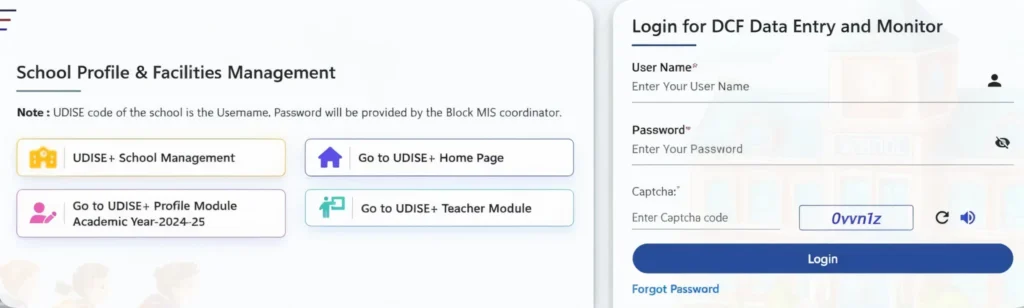
Step‑by‑Step: How to Fix & Prevent These Errors
Here’s what you can do to sort things out and keep them clean:
Step A – Clarify your school’s board‑structure
Step B – Align your UDISE+ entries accordingly
Step C – Validate before final submission
Use the portal’s validation/certify button and check for error messages or warnings relating to affiliation, board type, or inconsistent numbers.
If the portal flags “Board stream mismatch” or “Multiple board streams not allowed”, contact your Block or District MIS for advice.
Keep offline copies of your data entries, board affiliation letters, and teacher allocation sheets – helpful if there is a later audit.
Submit the entry early so you have time to correct any issues flagged.
Tips for Smooth Dual‑Board Data Management
Designate a staff member (data‑entry coordinator) who understands your school’s board structure and the UDISE+ portal.
Maintain two separate spreadsheets: one for Board A stream, one for Board B stream. That way you avoid mixing numbers.
Before each submission, compare last year’s UDISE+ report card vs your actual numbers – this helps catch big deviations.
Attend any state/district training for UDISE+ and ask specifically about multi‑board/dual‑board scenarios.
Build a «comments » sheet that explains any deviation – e.g., “Stream under Board B started in 2024‑25, so lower enrollment this year.”
Keep all board recognition/affiliation documents, change‑letters, teacher allocation letters in one folder – easy access when verification happens.
Quick Checklist for Dual‑Board School UDISE+ Entry
you can also read: What Happens When Your UDISE+ School Profile Is Incorrect
FAQ’s
Final Words
If your school has dual‑board streams, acknowledging that extra complexity up front makes all the difference. You’re not just entering one set of numbers in the UDISE+ portal — you’re managing two board‑streams under a single code. That means precision, clarity, and a little bit of planning. When you do it right: your school’s profile accurately reflects the full story, your teacher, student, and infrastructure data are clean, and you avoid last‑minute rework or rejections. When you take the time to align board streams, segregate data, and validate early — you save yourself stress and ensure your school’s UDISE+ submission is smooth and error‑free.


