How to Fix Missing UDISE+ Modules in Your Dashboard
Before diving into how to fix missing modules, let’s quickly understand what UDISE+ is. UDISE+ (Unified District Information System for Education Plus) is an online platform used to store and manage data related to schools, teachers, students, and infrastructure across India. It ensures proper tracking of educational resources and helps in planning and funding distribution for better educational outcomes.

What Are UDISE+ Modules?
Modules in UDISE+ represent various sections of the system designed to handle different data types. Common modules include:
For managing teacher-related data such as qualifications, experience, and other personal details.
For recording student data such as enrollment, attendance, and academic performance.
For maintaining information about the school’s facilities and infrastructure.
Each of these modules helps track specific data points, ensuring that the system serves its purpose effectively.
Why Are Some UDISE+ Modules Missing from Your Dashboard?
Missing modules can happen due to several reasons. Understanding why these modules are missing is essential to troubleshooting the issue.
Wrong Login Credentials: Sometimes users log in with the wrong account that doesn’t have permission to view all modules.
User Role and Permissions: If your user role doesn’t grant access to all modules, they won’t appear on your dashboard.
Technical Glitches: Browser issues, cache problems, or even temporary system outages can hide certain modules.
Profile Activation Issues: If your school’s profile is incomplete or inactive, certain modules may not be accessible.
Common Causes for Missing UDISE+ Modules
Here’s a deeper look into the common causes that may result in missing modules:
Step-by-Step Guide to Fix Missing UDISE+ Modules
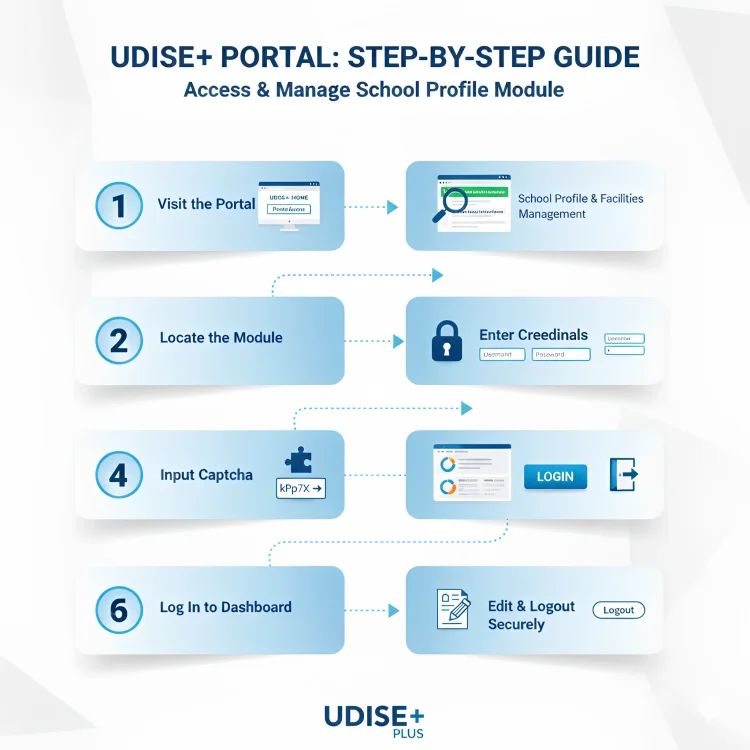
Always check that you are using the right UDISE+ login page. Each module has a specific link for login (e.g., Teacher Module login vs. Student Module login). If you use an incorrect link, you might not see the desired modules.
Sometimes, an old cache can cause display issues. Try clearing your browser cache, using Incognito mode, or switching to another browser (Chrome, Firefox, etc.) to see if the modules appear.
If your login credentials are correct but modules are still missing, it might be a role-based restriction. Ask the Block or District MIS (Management Information System) coordinator to review your access rights and make necessary adjustments.
Verify that your school’s profile is active and updated in the UDISE+ system. If there’s any issue with your school’s profile (like incorrect details or missing data), it can block access to some modules.
If you’re using the Student Module, ensure that you’ve selected the correct state. Sometimes, choosing the wrong state can hide modules or lead to errors in the data.
If you’ve tried all of the above steps and still face issues, contact the MIS support team. They can assist in resolving problems such as forgotten passwords, technical errors, or missing module permissions.
Quick Tips to Prevent Missing Modules in the Future
Keep your credentials updated to avoid errors.
This prevents old data from causing problems when accessing UDISE+ modules.
If you’re an admin, make sure to check the roles and permissions regularly for all users in the system.
Always use the official UDISE+ links for each module to avoid login issues.
Additional Help for School Administrators
If you’re managing the UDISE+ system for your school, make sure to regularly review the data entry process to ensure everything is correct. Here are some tips:
you can also read: Why UDISE Plus Shows Student Out of School Due to Aadhaar 2025
Understanding UDISE+ Support Options
In case you encounter any difficulties, UDISE+ provides various support options:
User Manuals and Tutorials: UDISE+ offers guides that explain how to handle modules, data entry, and troubleshooting.
MIS Coordinator Support: Contact your local MIS coordinator for technical assistance and access issues.
Help Desk: If you’re still having trouble, UDISE+ offers a help desk for escalated issues.
FAQ’s
Final Words
Missing modules on your UDISE+ dashboard can be a frustrating issue, but with the right troubleshooting steps, it’s easy to fix. From clearing browser cache to contacting the MIS, these fixes will get your modules back on track in no time.
Stay proactive by regularly checking your login credentials, clearing your cache, and keeping your school’s profile updated to avoid such issues in the future.


