Why UDISE+ Needs to Match Reality for School Facilities
If you’re working at a school for children with special needs and you’re entering data into UDISE+, you may have noticed how easy it is for small mistakes or oversights to mess things up. Accurate data matters even more for special‐education schools (for children with disabilities, special support needs) because the wrong numbers may mean support, funding or infrastructure don’t reach where they should. Let’s walk through what common errors come up, why they happen, and how you can prevent them.
When you’re dealing with special‐education, the data isn’t just enrolment and teachers. It’s about differentiated needs, assistive facility availability (ramps, accessible toilets, special equipment), specific teacher specialisations, and inclusive practices.
UDISE+ is meant to capture these details along with general school data. If those details are wrong or missing, your school may:
Not show validators the true need for resources or support
Get incorrectly recorded drop‑outs or mis‑classified students
Miss out on grants or special allocations meant for “Children With Special Needs (CWSN)”
Face reporting issues or compliance gaps
Why Data Accuracy Matters for Special Education Schools
Common Errors in UDISE+ for Special Education Schools
Here are some typical mistakes you might find or accumulate, especially in special‐ed settings:
A child with special needs might be entered without the correct disability code or “CWSN” status, so the support need is unreported.
For example, the school has a ramp, Braille materials or special teacher but it isn’t recorded in the infrastructure section.
Special‑ed teachers might have to meet certain criteria; if data shows generic teacher code it may hide real scenario.
Especially in special schools, some students may have irregular attendance or need alternative schedules—if enrolment doesn’t reflect that, it skews data.
The school might have changed name/management or moved, but the UDISE+ code or profile wasn’t updated properly.
Because special schools may have more detailed fields, sometimes entries are skipped or treated as “not applicable” when they are.
These kinds of errors can undermine the whole picture of your school’s needs and performance.
Why These Mistakes Happen
you can also read about: Why UDISE+ Needs to Match Reality for School Facilities
How to Fix and Prevent Data Errors (Quick Tips)
Let’s talk practical steps you and your team can follow:
for your school’s special education needs. Include items like number of students with each type of disability, assistive devices, special teachers, accessible infrastructure.
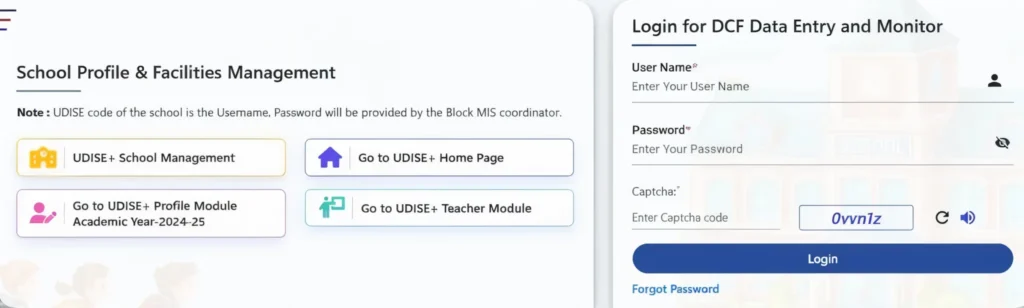
Open the DCF for the year and highlight all fields relevant to special education. Make sure you fill them.
Once the data is entered, review it—compare your internal records (student list, facilities, teacher list) against what you uploaded.
A short session on what the special‐education section covers, how the codes work, how to avoid classification mistakes.
Keep photos or records of accessible infrastructure, special equipment, teacher certifications. This helps when someone questions or audits the data.
Rather than uploading all at once, do smaller sets and check for error messages or returned records in UDISE+ portal.
UDISE+ guidelines may change; newer versions might require more detailed data for special schools—so stay aligned.
Get your special educators, infrastructure staff, admin staff to sign off on relevant data—so it’s not just one person’s view.
Extra Heading: Specific Focus Areas for Special Education Schools
Here are facility and student‐data areas you should pay special attention to:
Are devices (Braille, hearing aids), special desks noted?
Ramps, handrails, accessible toilets, signage—these must be recorded, not assumed.
Data should reflect if teachers are trained for special needs, and the ratio of special‐education students to specialist teacher.
Special education may involve alternate progression paths; ensure your student module reflects actual status (not “drop‑out” incorrectly).
While UDISE+ might not capture full details, ensure student profile clarity so support needs are clearly flagged.
FAQ’s
Final Words
Working in a special education school means you’re doing important work—caring for students with diverse needs. Getting your UDISE+ data right ensures that the system recognises that work, provides you the resources you deserve, and helps your students get the best support. It’s not just about numbers—it’s about fair treatment and real support.
Take a moment this week: open your school’s UDISE+ profile, pull up the special education related fields, and check if everything aligns with your records. A small check today can save big headaches later.


