How to Correct Mismatched Student Data in UDISE+
When student data (name, date of birth, Aadhaar, previous school, grade) in UDISE+ doesn’t match what’s in your school records, it causes problems. Students might show up as “missing” or “out of school”, their eligibility for schemes may get delayed, transfers get complicated. For example, one state found many records failed Aadhaar validation because name/gender/DOB didn’t match. Guruvu.In+1
So you fixing these mismatches early means smoother reporting, fewer headaches later.
Common kinds of data mismatches
Step‑by‑step: How to fix mismatched student data
Here’s a friendly checklist you can follow:
Go through your student list and compare: portal info vs school admission register. Mark any mismatches (name, DOB, grade, Aadhaar).
Check your admission register, transfer certificate (if applicable), Aadhaar card copy (if you have) to see the correct data.
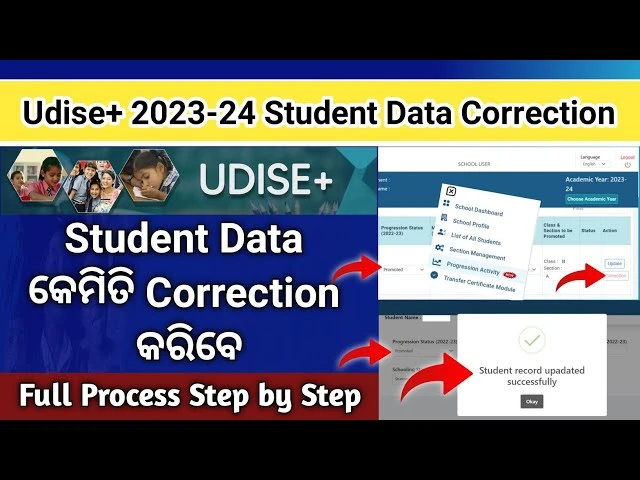
Log in to your school’s portal for the Student Module. Make sure you have rights to edit/approve student data.
- Find the student with mismatch.
- Update the field(s) that are wrong (name, DOB, gender, Aadhaar etc).
- Ensure the revised data matches your verified school records.
- If student moved grades, update the grade/section accordingly.
Save the changes.
If your state requires validation by Block/District MIS, send for review.
After review and approval, certify the data so the system locks in the corrected data.
After corrections, check that the student now appears correctly in reports (enrolment lists, dashboard). Periodically review to catch future mismatches.
Pro tips to reduce mismatches in future
What happens if you ignore mismatches?
Student might appear as “fresh/new” or “out‑of‑school” because system can’t trace them properly.
Transfer/TC processes get messy because student’s unique ID may not link.
Reporting errors show up in district/state dashboards — your school data quality takes a hit.
Important schemes or benefits (mid‑day meal, scholarships) might be delayed or denied because record mismatch blocks eligibility.
FAQ’s
Final Words
Fixing mismatched student data in UDISE+ isn’t just a “system task” — it’s about making sure every student in your school is tracked correctly, gets the benefits they deserve, and your school’s data reflects reality.
Treat this like housekeeping: clear the records early, stay consistent, review regularly. When you stay on top of it, the system works for you — and saves you trouble later.


