Merging Schools in UDISE Plus Problems & How to Deal Them
Hey there! If your district or block is merging two or more schools under UDISE Plus (for example when small schools are combined or upgraded), you might be facing some tricky issues. I’ve pulled together this friendly guide to walk you through what goes wrong, why it matters, and how you can fix or avoid those problems.

What exactly is a school “merge” in UDISE Plus?
In simple terms: when one school closes or is combined with another, the records of both (or more) schools need to be merged in UDISE Plus so that students, infrastructure, and staff carry over smoothly into the “new” school. According to official guidance, closures, mergers or upgrades of schools must be reflected in the School Profile & Student Modules. Education for All in India+2Education Ministry of India+2
If this isn’t done carefully, you’ll run into problems with missing students, wrong enrolment numbers, duplicated records, or invalid UDISE codes.
Why it’s important to get the merge right
Common Problems You’ll See During a Merge — and How to Handle Them
| Problem | Why it happens | What to do |
|---|---|---|
| Student records missing after merge | Data from the “old” school wasn’t transferred to the new school’s database. Education for All in India | Get the student list from the old school, validate their PEN/APAAR IDs and ensure the new school imports them correctly. |
| Duplicate records / conflicting UDISE codes | Both schools are active in system side‑by‑side, or old code not archived. EduDel | Ensure old school code is marked “closed/merged” in UDISE, and students are moved to the new school code. |
| Infrastructure or staff counts wrong post merge | Facilities module may not have been updated to reflect the merged school’s new status. Education for All in India | Update the Profile & Facilities module for the merged school: enter correct building, staff numbers, classes and student strength. |
| Enrolment numbers drop unexpectedly | Students may not yet be captured under the new school code or there’s lag in data transfer. Education for All in India | Cross‑check the student list and enrolment records of both old & new schools and reconcile the numbers before submission. |
| Confusion around UDISE code usage | When a school merges, people might still use the old code or the new code hasn’t been accepted fully. Education Ministry of India | Use the valid school’s UDISE code as per the state directory, and check with block MIS for the correct code. |
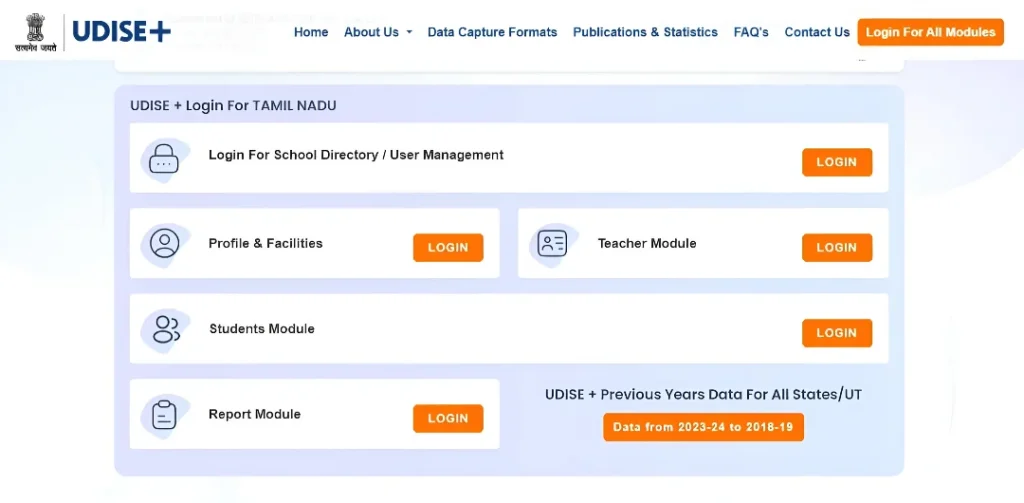
Step‑by‑Step: How to Make a Smooth Merge in UDISE Plus
Here’s a clear workflow you can follow:
Mark it as “Closed / Merged” (if required by your state) in the School Profile. Collect and finalize student, staff and infrastructure data up to the last date of operation.
Ensure the valid UDISE code is being used and updated profile reflects consolidation (number of classes, total strength, staff, etc).
Use PEN/APAAR ID to import students from the old school into the new school’s Student Module. Validate that none are left behind.
Ensure merged school’s infrastructure, teacher details and other modules reflect the combined status.
Run reports to compare student‑counts, staff counts, class‑counts before and after merge. Investigate any big drops/increases.
Once reconciled, submit the merged school’s data through UDISE Plus and ensure the old school’s record is closed properly.
Check the data dashboard in the next cycle to confirm there are no “orphan” records or students marked in inactive/drop‑box due to merge issues.
Tips to Avoid Merge Mistakes (Quick Wins)
Frequently Asked Questions (FAQs)
Final Words
Merging schools in UDISE Plus isn’t just about combining two buildings—it’s about combining data, student histories, staff records and infrastructure into one clean system. If done with care, the process will be smooth and your school’s reporting will stay on track. If not, you’ll face missing students, wrong counts and unnecessary headaches. Take a little time to plan the merge, follow the checklist, and you’ll set things right.


