Handling Student Progression in UDISE Plus
Hey there! If you’re managing school data and using UDISE Plus’s Student Module, you’ll know one of the key tasks is handling student progression (aka promotion to the next class). It might sound technical, but once you get the hang of it, it becomes straightforward — like ticking off a checklist. Here’s a friendly guide to help you handle student progression smoothly, with tips to avoid common mistakes.

What does “student progression” mean?
In UDISE Plus, progression means moving each student from their current class to the next grade, updating their status (promoted, retained, left school, transferred), and ensuring their record reflects the correct grade for the new academic year.
Why this matters:
The step‑by‑step workflow you can follow
Here’s how you can do student progression without stress:
Tips to avoid common progression errors
Before you start, clean last year’s data: make sure transfers/drops were updated. Otherwise students might be stuck or mis‑rated.
Use bulk update/import features if available — easier when many students are moving up.
Check for duplicates: sometimes a student appears in both years if status wasn’t updated correctly.
For students transferred mid‑year: update their old school status to “transferred out” and new school to “joined” with correct grade.
Finalise early: don’t wait till the last minute — earlier submission means fewer rush errors.
Keep a local backup log of progression status changes (student name, old class, new class, date). Helps if you get queries later.
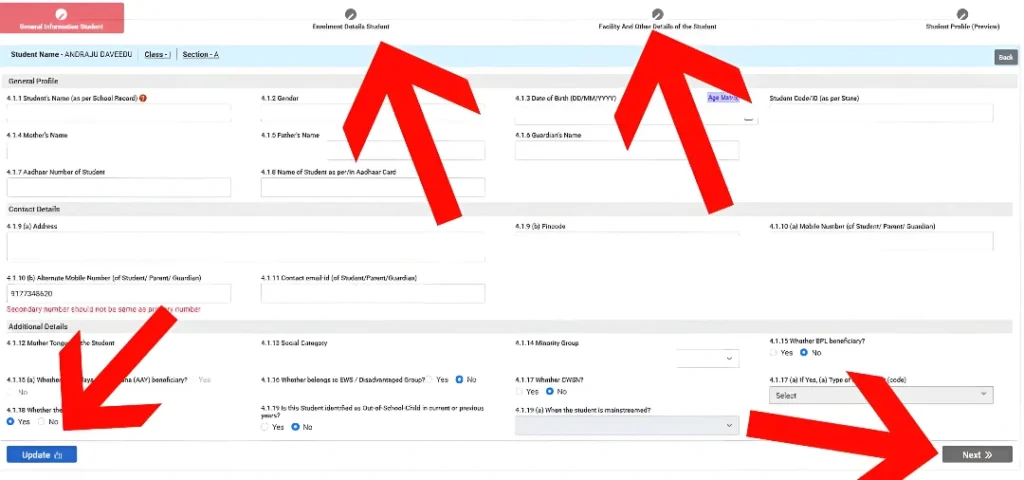
Special considerations for multi‑grade schools
If you’re managing a school that has multi‑grade or mixed-age classrooms (e.g., combined grade levels or classes with different types of students), you may face additional challenges. Here’s how to tackle them:
Managing Progression for New Admissions
For new students joining mid-year or at the beginning of a new session:
Ensure correct data entry for new students.
Double-check that their previous school’s records are accurately imported into UDISE Plus, especially for transferred students.
For students without previous UDISE records, be extra cautious about entering their details correctly (e.g., correct Aadhaar, age, etc.).
Why getting progression right really helps your school
Turning around and doing this right:
Ensures your school’s enrolment numbers for each class are accurate — that affects resources, staffing, and funding.
Prevents student records from being counted twice or lost — maintaining continuity.
Helps the district/state MIS‑system reflect the correct figures, which means fewer audits or corrections later.
Gives your team confidence that the data you submit is clean, credible, and ready for reporting.
Frequently Asked Questions (FAQs)
Final Words
Handling student progression in UDISE Plus might feel like just another administrative duty — but it’s a key foundation for accurate school data. When you take a little time and follow the steps carefully, you’ll avoid mistakes, free up your time in the long run, and keep things running smoothly. Your school’s records will stay sharp, students’ status will be correct, and you’ll be helping your school’s planning and reporting in one go.
If you like, I can draft a printable checklist your team can follow each year when doing progression, so everyone knows what to check. Want me to pull that together?